Get started in 6 steps
From sign-up to your first request in about two minutes.
- 1Step 1 / 6
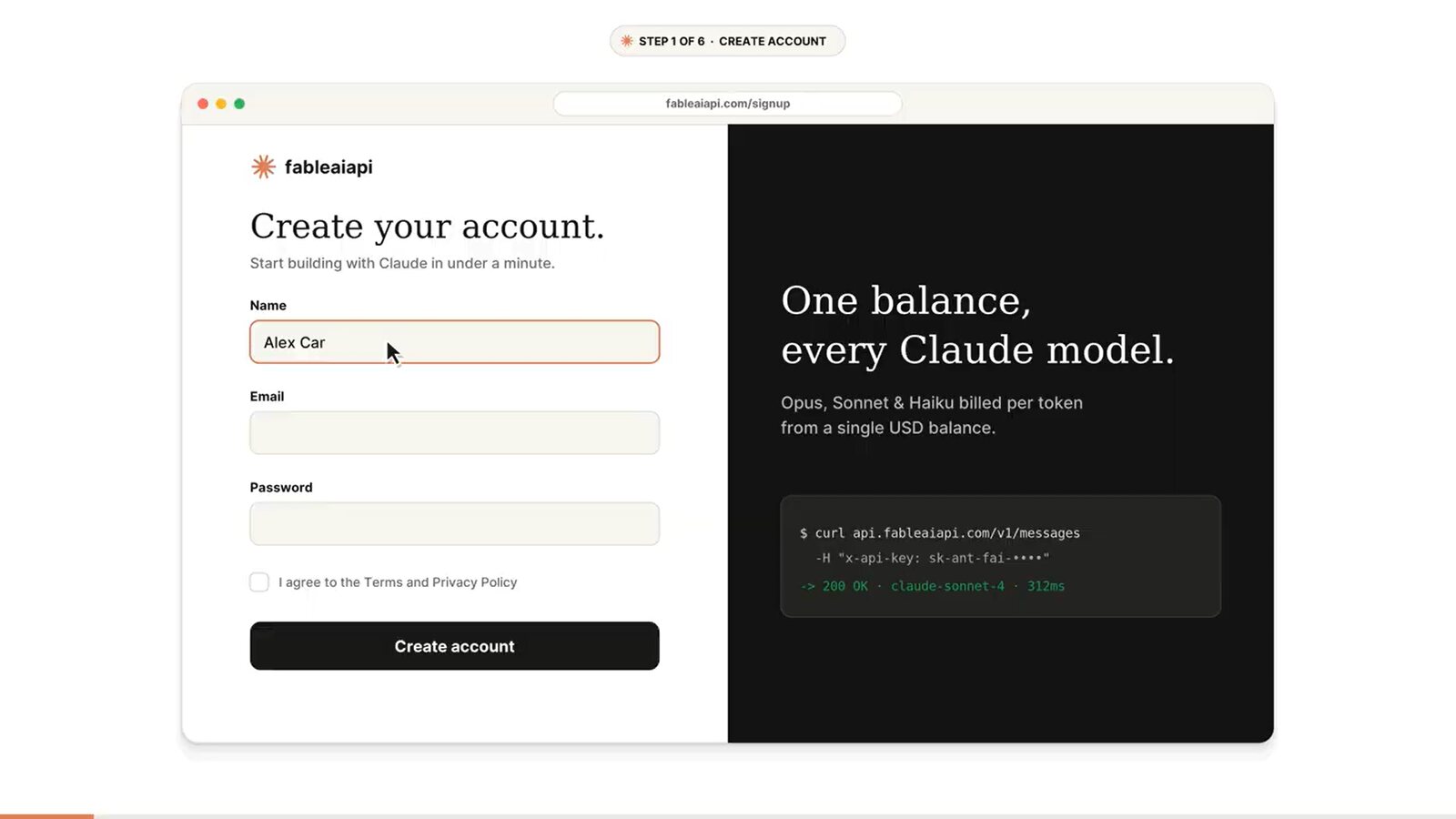
Create your account
Open Sign up, enter your name, email and a password, tick the terms box and click Create account.
- 2Step 2 / 6
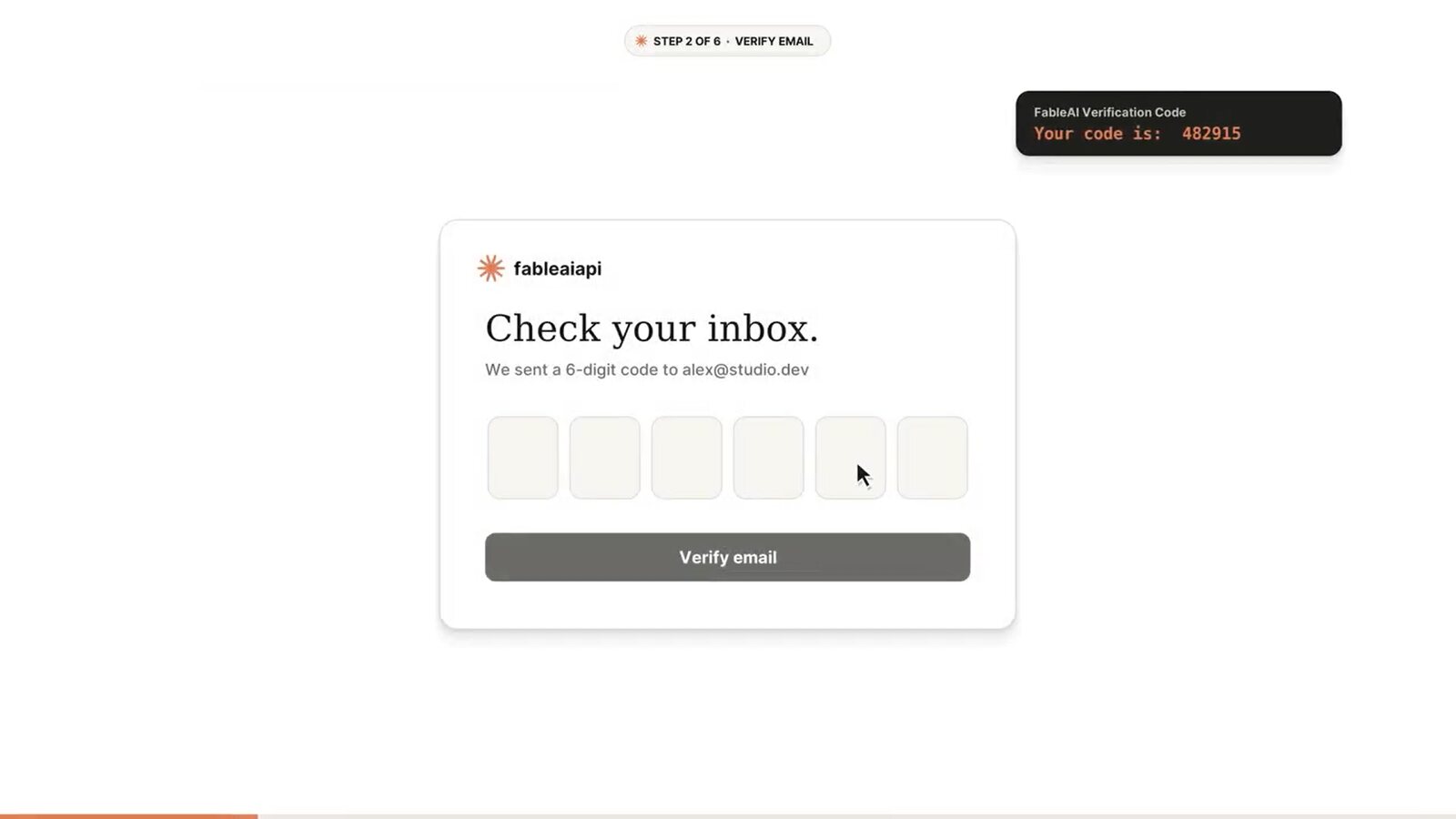
Verify your email
We email you a 6-digit code. Type it into the boxes and click Verify email. If it is not there within a minute, check your spam folder.
- 3Step 3 / 6
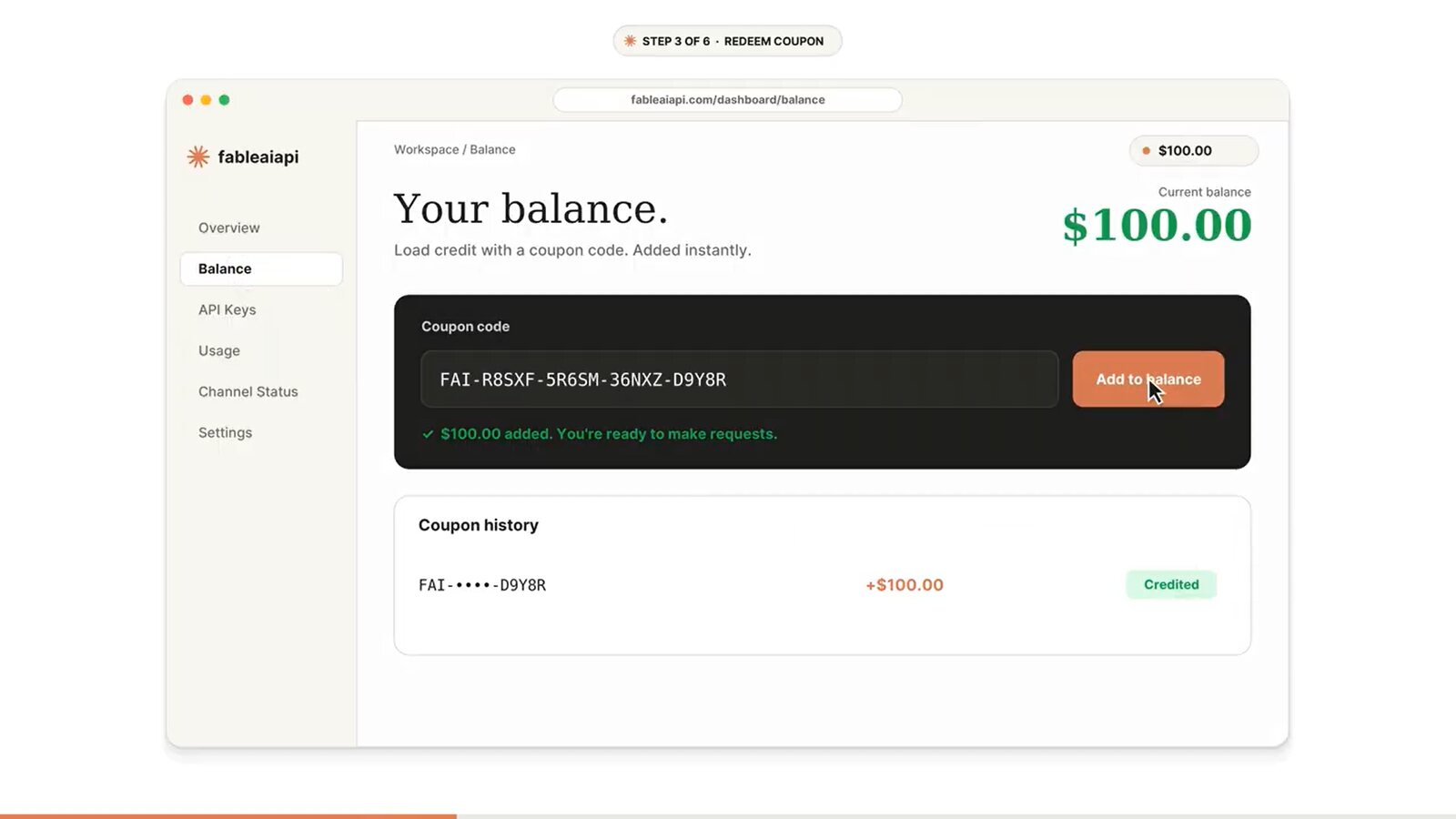
Redeem your coupon
Open Balance, paste your coupon code and click Add to balance. The credit appears right away. You can redeem more coupons on the same account at any time; they all add to one balance.
- 4Step 4 / 6
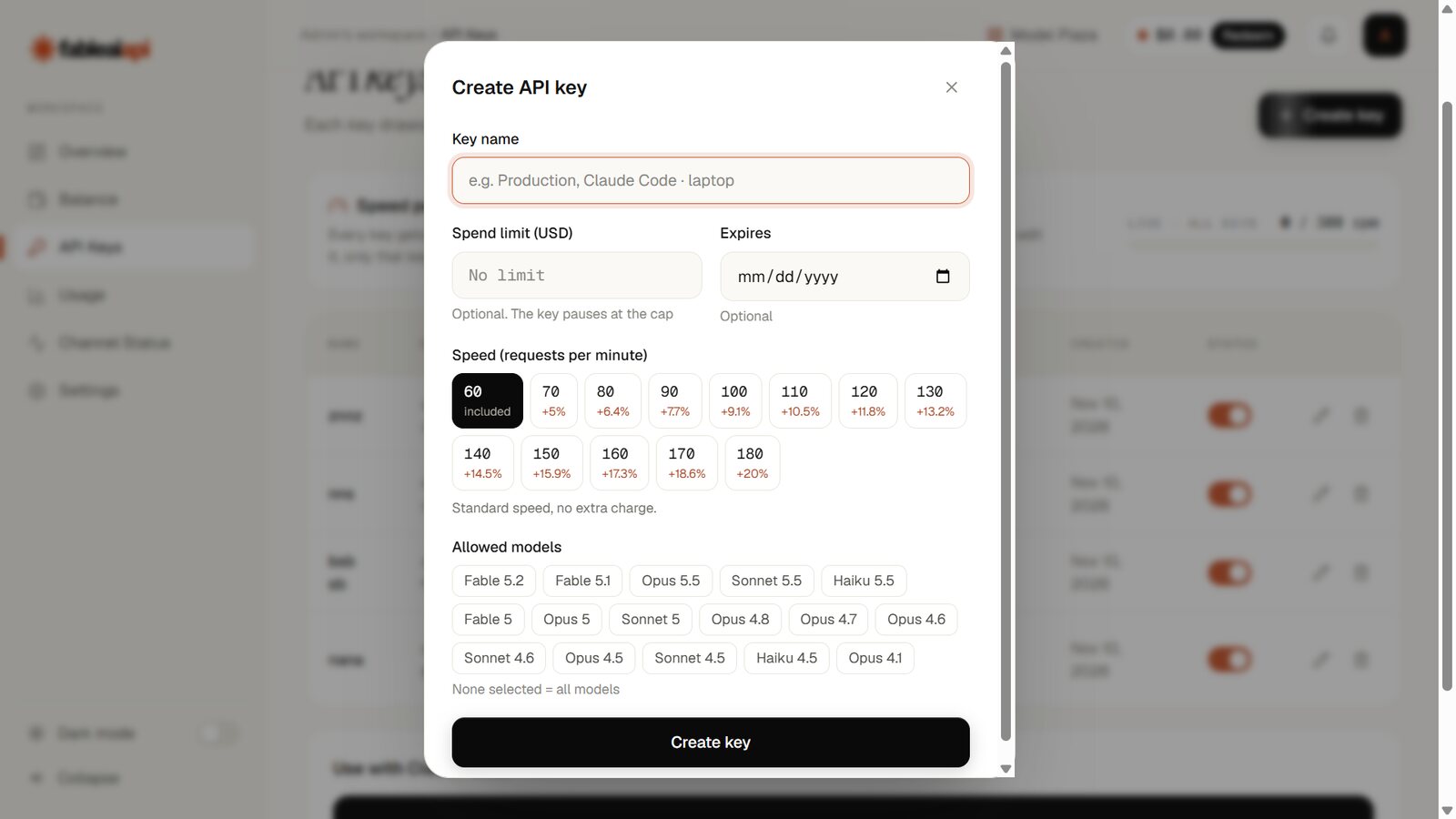
Create an API key
Open API Keys and click Create key. Give it a name. Spend limit is optional: leave it empty for no limit, or set a cap and the key pauses when it is reached. Expires is optional too. Speed: 60 requests per minute is included; a faster speed costs a little more per token.
- 5Step 5 / 6
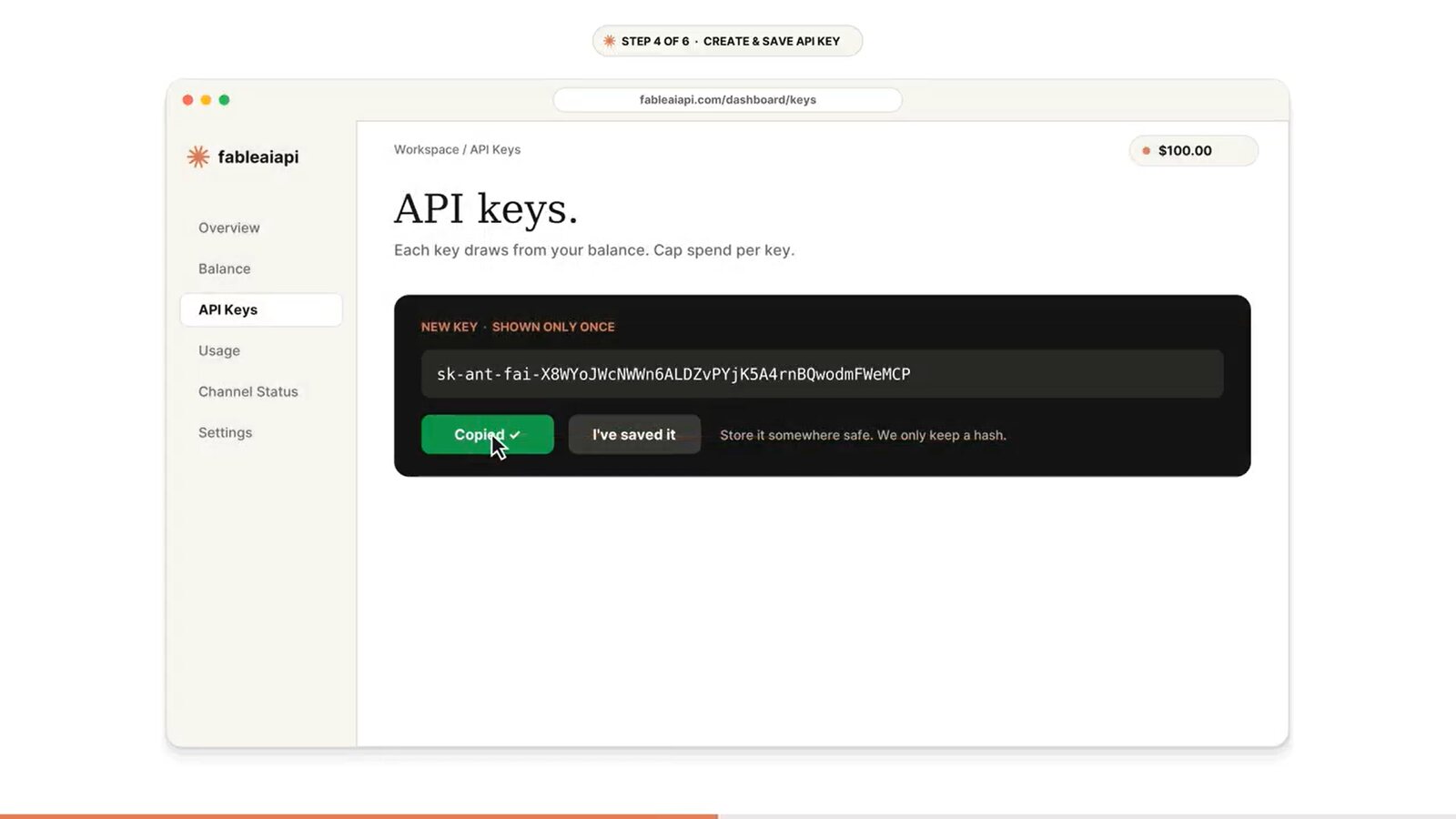
Copy and save your key
Your key is shown only once. Click Copy, save it somewhere safe, then click I've saved it. For your security we only keep a fingerprint of the key, so it can never be shown again. Lost it? Delete it and create a new one.
- 6Step 6 / 6
Connect your tool
Paste the base URL and your key into Claude Code, Cline, 9Router, Cursor or any SDK. See which base URL to use, then the setup for Claude Code and other tools.
Try it with a first request:
# ~/.zshrc
export ANTHROPIC_BASE_URL="https://api.fableaiapi.com"
export ANTHROPIC_AUTH_TOKEN="sk-ant-fai-your-key"

claude   # that's it
Which base URL do I use?
There is one server and two ways to talk to it. Every tool uses one of them. The only difference is whether you add /v1 at the end.
/v1. If it asks for an OpenAI URL, add /v1. Never paste /messages or /chat/completions into a base URL field; the tool adds that part.Every tool at a glance
Calling the API yourself with curl or fetch? Use the full address: https://api.fableaiapi.com/v1/messages or https://api.fableaiapi.com/v1/chat/completions.
Some mistakes are fixed for you: a doubled /v1/v1 and a missing /v1 before /chat/completions both still work. Do not add a slash at the end of the base URL.
Claude Code
Put your base URL and key in Claude Code's settings file, then run claude. This works on macOS, Windows and Linux, and in the VS Code and JetBrains extensions.
{
  "env": {
    "ANTHROPIC_BASE_URL": "https://api.fableaiapi.com",
    "ANTHROPIC_AUTH_TOKEN": "sk-ant-fai-your-key"
  }
}
On Windows this file is C:\Users\YOUR-NAME\.claude\settings.json. You can also set the same two values for one terminal session:
export ANTHROPIC_BASE_URL="https://api.fableaiapi.com"
export ANTHROPIC_AUTH_TOKEN="sk-ant-fai-your-key"
claude
$env:ANTHROPIC_BASE_URL="https://api.fableaiapi.com"
$env:ANTHROPIC_AUTH_TOKEN="sk-ant-fai-your-key"
claude
/model, or start with claude --model claude-sonnet-5-5. Run /status to check that the base URL shows https://api.fableaiapi.com.Cline, 9Router, Cursor
Use the same key in every tool. Pick the Anthropic option when a tool offers it.
Cline / Roo Code (VS Code)
- API Provider
- Anthropic
- Custom base URL
https://api.fableaiapi.com- API Key
sk-ant-fai-…- Model
claude-sonnet-5-5
- API Provider
- OpenAI Compatible
- Base URL
https://api.fableaiapi.com/v1- API Key
sk-ant-fai-…- Model ID
claude-sonnet-5-5
9Router
- Open Providers and choose Add Anthropic Compatible with base URL
https://api.fableaiapi.com, or Add OpenAI Compatible withhttps://api.fableaiapi.com/v1. - Click Add API Key, paste your key, wait for Valid, then save.
- Click Import Models. Every model on your key appears.
Cursor
- Open Settings → Models → API Keys.
- Paste your key into OpenAI API Key and turn on Override OpenAI Base URL with
https://api.fableaiapi.com/v1. - Add a custom model with an ID from the list and select it in chat.
OpenAI SDK
from openai import OpenAI

client = OpenAI(base_url="https://api.fableaiapi.com/v1", api_key="sk-ant-fai-your-key")
r = client.chat.completions.create(
    model="claude-sonnet-5-5",
    messages=[{"role": "user", "content": "Hello, Claude"}],
)
print(r.choices[0].message.content)
Streaming, tool and function calling, images and stream_options.include_usage all work. Billing is the same as the Anthropic format.
API reference
Authentication
Send your key in either header. Both work on every endpoint, so use whatever your tool sends.
No other header is needed. If your SDK sends anthropic-version or anthropic-beta, they are passed through unchanged.
curl https://api.fableaiapi.com/v1/messages \
  -H "x-api-key: $FABLEAI_API_KEY" \
  -H "content-type: application/json" \
  -d '{
    "model": "claude-sonnet-5-5",
    "max_tokens": 1024,
    "messages": [{"role": "user", "content": "Hello, Claude"}]
}'{
"id": "msg_01...",
"type": "message",
"role": "assistant",
"content": [{ "type": "text", "text": "Hello! How can I help?" }],
"model": "claude-sonnet-5-5",
"stop_reason": "end_turn",
"usage": { "input_tokens": 12, "output_tokens": 9 }
}Models
One price per million tokens for each model. Use the ID exactly as shown.
| Model | Model ID | Context | Price / 1M |
|---|---|---|---|
| Fable 5.2NEW | 1M | $13.33$20.00 | |
| Fable 5.1 | 1M | $13.33$20.00 | |
| Opus 5.5 | 1M | $12.50 | |
| Sonnet 5.5 | 1M | $12.90 | |
| Haiku 5.5 | 200K | $13.33 | |
| Fable 5 | 1M | $12.12$18.18 | |
| Opus 5 | 1M | $11.43 | |
| Sonnet 5 | 1M | $11.76 | |
| Opus 4.8 | 1M | $11.11 | |
| Opus 4.7 | 1M | $11.11 | |
| Opus 4.6 | 1M | $11.11 | |
| Sonnet 4.6 | 1M | $11.11 | |
| Opus 4.5 | 200K | $11.11 | |
| Sonnet 4.5 | 200K | $11.11 | |
| Haiku 4.5 | 200K | $11.11 | |
| Opus 4.1 | 200K | $11.11 |
The same list comes back from GET /v1/models, so tools like 9Router can import it.
Streaming
Send "stream": true. Events are passed straight through as they arrive. Usage is billed when the stream ends, also if you disconnect early.
import anthropic

client = anthropic.Anthropic(base_url="https://api.fableaiapi.com", api_key="sk-ant-fai-your-key")
with client.messages.stream(
    model="claude-sonnet-5-5", max_tokens=1024,
    messages=[{"role": "user", "content": "Write a haiku about APIs"}],
) as stream:
    for text in stream.text_stream:
print(text, end="", flush=True)Rate limits
Per key, included.
Per key at most. A faster key costs 5 to 20% more.
All keys of one account together.
Set a key's speed when you create or edit it on the API Keys page. Going over a limit returns 429 rate_limit_error with a retry-after header. The official SDKs and Claude Code wait and retry on their own.
429 with retry-after: 5 until a running request finishes. This keeps your balance from going below zero. Nothing is lost; the request goes through on retry.Errors
Errors use the same JSON shape as the Anthropic API: {"type":"error","error":{"type":"…","message":"…"}}
Common problems
Copy the whole key again, starting with sk-ant-fai-, with no space at the end. Check that the key is turned on in your dashboard.
Use the model ID exactly as in the model list, for example claude-sonnet-5-5. Do not add a provider name in front of it.
Check which format the tool uses. Anthropic format needs https://api.fableaiapi.com with no /v1. OpenAI format needs https://api.fableaiapi.com/v1. Do not put /messages or /chat/completions in the base URL field.
You either sent more requests per minute than your key allows, or your balance is small and other requests are still running. Wait a few seconds; tools retry on their own.
Add credit with a coupon code on the Balance page. Your keys keep working the moment the credit lands.
Billing
Your balance comes from coupon codes. Each model has one price per million tokens. Input, output and cache tokens all count the same, plus a small fixed overhead per request added by the upstream.
Token counts in an API response are estimates. Your Usage page shows the exact billed tokens and cost of every request, final within about a minute, and can be exported to CSV.